

Directions to add yourself to a mailing list
- Navigate to the following or follow link
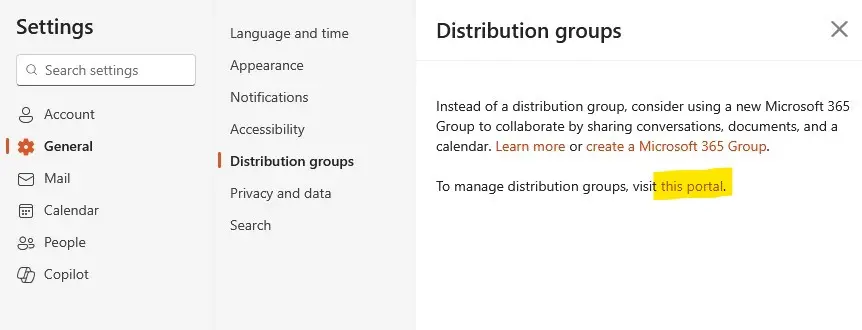
- Outlook website > Settings > General > Distribution Groups > Portal
- Select Portal
-
Image
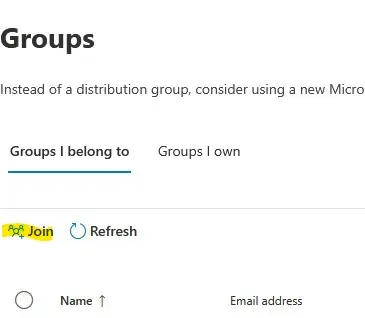
- Under Groups I belong To, select Join
-
Image
- A list will appear with possible lists to join
-
Image

- Search for CQLS list in the search field,
- Type CQLS, press Enter in the search box.
- Select the list and click JOIN.
-
Image

- One of us will add you to the list and you'll get a notice in about a day.